Clients & matters
Maintain taxpayer records, track proceedings and keep notices, evidence, response drafts and filing records together.
 TxQUBE
Clarity for every tax matter.
From the first notice to the final response. Bring your clients, evidence, research and team together in one organised workspace.
Start with client records and matters, then use the modules your practice needs. Features and AI model access depend on your subscription and workspace configuration. TxQUBE is actively being developed.
Maintain taxpayer records, track proceedings and keep notices, evidence, response drafts and filing records together.
Ask questions using tax references, selected documents or authorised practice context. Review sources and verify the answer before relying on it.
Books, invoices, inventory, banking, ledgers and financial reporting by entity and year.
Dedicated compliance workspaces, controls, reconciliations and configurable tax rules.
Share matter-specific portal access for messages, document requests and draft approval. Clients do not need access to the internal workspace.
Browse published tax references and available source PDFs in Tax Atlas. Upload and organise practice documents separately in Knowledge Hub.
Prepare income-tax workpapers, compare regimes and review the computation against the selected year and configured tax rules.
Invite colleagues with workspace roles and switch between practices. An invited member can create a separate practice of their own.
Review recorded deadlines, pending client decisions and processing exceptions. Keep authority dates and your practice deadlines under review.
Upload a notice, review its extraction and AI analysis, gather evidence, prepare a response and record what was filed. Professional review remains your responsibility at every stage.
Bring notices, documents and client records into one proceeding.
Review extracted facts, statutory context and prior correspondence.
Draft with evidence, approval and proceeding history in view.
Record the response filed, delivery details and the next action. Submit through the relevant authority portal separately.
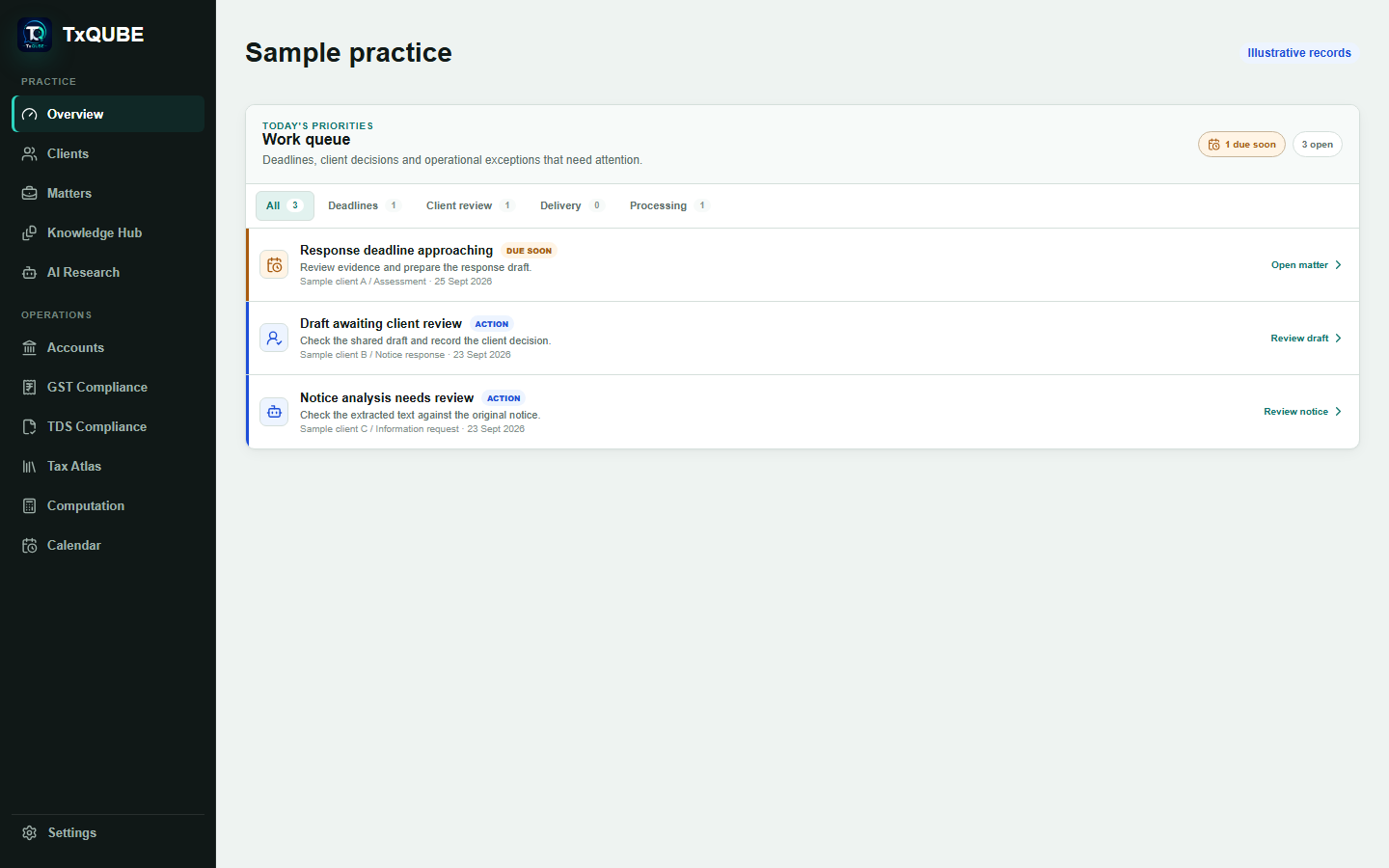
Clients can review requests, respond, approve and follow progress without entering the professional workspace.
Workspace roles and client portal access keep internal and shared records distinct.
Analysis, drafts, approvals and submissions remain visible in the matter history.
Review the available plan, limits and subscription details in Settings. Not every AI model or workflow is included in every plan.
The app supports preparation, review and filing records. It does not replace submission through the relevant government portal, or your verification of deadlines, calculations and acknowledgements.
No. AI can make mistakes or omit relevant context. Check the cited source, applicable law, assessment year and facts before using analysis or a draft. AI access depends on the models enabled for your plan and workflow.
Your account can belong to multiple workspaces. Switch the active workspace to work with that practice's records and permissions. Joining a team does not merge its data or subscription with your own practice.
Settings includes an account-data JSON download and reviewed data requests. A workspace owner can request a full workspace export or deletion. These requests are not instant erasure: shared records, retention obligations and backups require separate review. Automated account removal is not currently enabled.
Review Subscription in Settings for the plans and limits available to your workspace. Help & support and Feedback are available from the in-app assistant. No guaranteed response time is promised here.